
Halloween wraps
Pumpkins, ghosts and midnight colors
ORIGINAL HALLOWEEN COLLECTION
Four costumes. One midnight drive.
Free original digital wraps for Model Y 2025+ Premium. Pick a design, explore it in 3D, and download the PNG.
Model Y 2025+ Premium
Midnight Pumpkin
Glowing amber pumpkins, curling vines and a haunted castle in violet mist.
PNG · 1024 × 1024 · < 1 MB
Download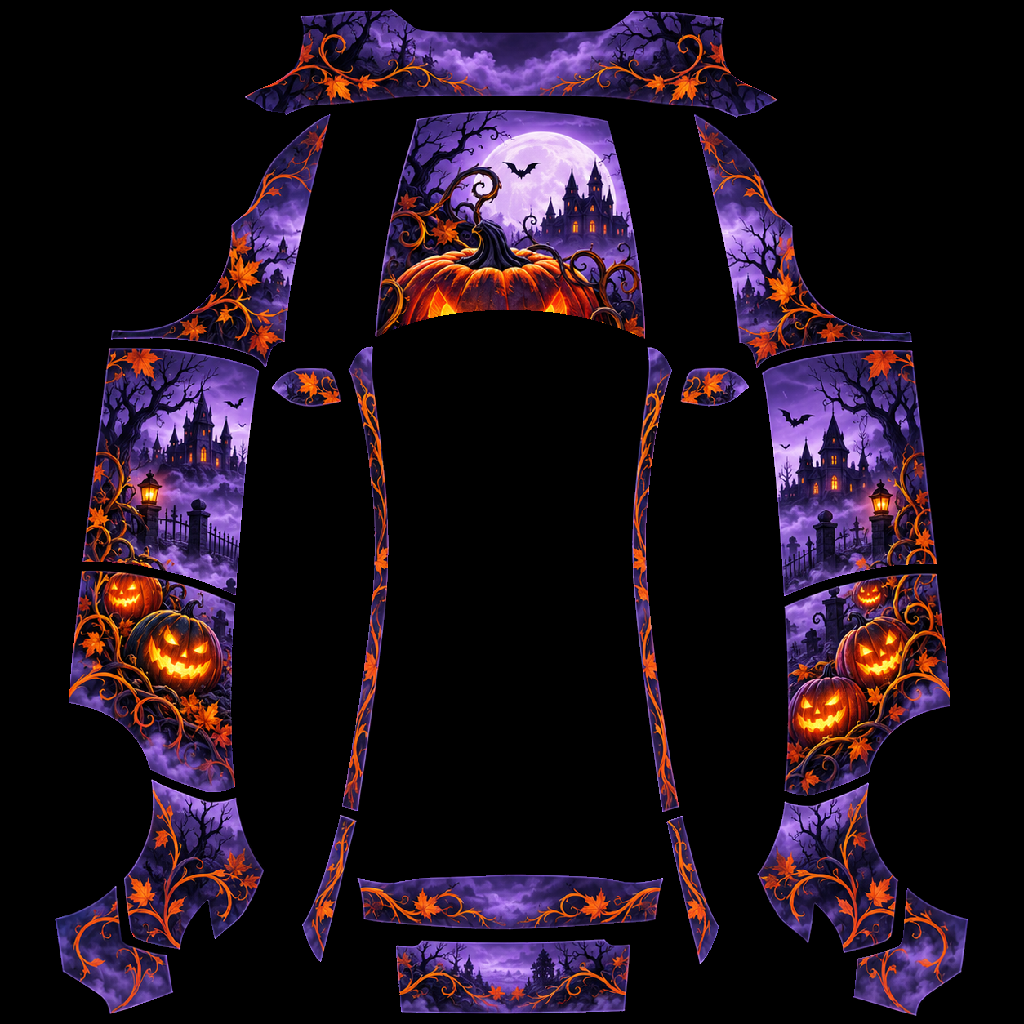
Made for Model Y 2025+ Premium only. These files change the digital vehicle appearance in Paint Shop, not physical paint. For another model, use the generator below.
Install this wrap on your Tesla
Three steps to apply your wrap
- 1
Download the original PNG for this exact vehicle: Model Y (2025+) Premium · Use the download button rather than a screenshot of the vehicle preview.
- 2
Put the PNG in a USB folder named
Wraps· Create that folder at the root of the drive. - 3
Connect the drive and open Toybox → Paint Shop → Wraps · Choose the wrap, apply it and inspect the sides and bumpers.
Use a filename up to 30 characters containing letters, numbers, spaces, dashes or underscores.
Import with the Tesla app instead
With app version 4.59.0 or later, open Creations → Wrap → Upload · Upload the PNG, then choose it in the vehicle’s Paint Shop. Availability depends on current software and vehicle support.
USB setup and file requirements
Supported file systems include:
exFAT— A common cross-platform choiceFAT32— WindowsMS-DOS FAT— macOSext3 / ext4— Linux
NTFS is currently unsupported. Check the drive format first.
Name the root folder Wraps, with that capitalization. Place PNGs directly inside it without another nested folder.
Keep map and firmware update files off the wrap drive, since they can interfere with recognition.
Formatting erases the drive. Back up important files before making changes.
Up to 10 wraps can load from the app and 10 from USB. Use the original dimensions for your exact template.
Create your own Halloween wrap

Build a seasonal design around the body
Describe pumpkins, ghosts, moonlight and an orange-and-black palette. Choose a clear theme and generate a digital map for your exact vehicle.
From idea to preview
- 01
Choose the vehicle
Match the year and trim.
- 02
Describe the theme
Describe a subject, background and palette, such as a pumpkin lantern under a violet moon.
- 03
Inspect and save
Rotate the preview, inspect doors and hood, then download the PNG you like.
Get a better result
Give one subject the lead
Use a pumpkin or ghost as the focal point and keep secondary elements smaller.
Connect panels with color
A compact palette helps doors, bumpers and hood read as a single design.
Check the small-screen view
Dense details may be hard to read on a vehicle display.
Questions, answered
Is this only for Halloween?
Change the prompt for another celebration, or use the homepage for an unrestricted theme.
Can I use my own artwork?
Yes. Open Photo to wrap to upload a reference.
Are results published automatically?
Checked: publish to the gallery. Uncheck to keep this wrap private. You can change visibility later in My wraps.
Is this a physical wrap?
This is a digital PNG for Paint Shop. Physical vinyl requires separate production and installation.
What does generation cost?
One free generation for new accounts, then 1 credit each. Pricing offers one-time credit packs.